
1 min read
Accounts Payable Document Recognition in Acumatica Cloud ERP - Product Video
Nick Knight : March 10 2025
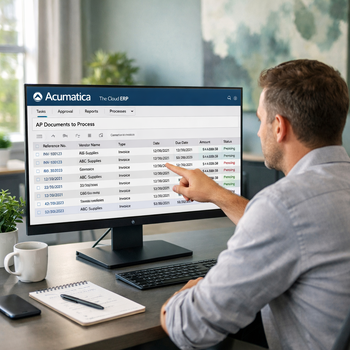
Processing vendor invoices can demand a surprising amount of time. Accounts payable employees must open each document, identify the vendor, enter invoice details and confirm that every amount was recorded correctly. When invoice volume increases, manual entry can slow approvals and create more opportunities for errors.
Accounts Payable Document Recognition in Acumatica Cloud ERP helps automate this process. The technology reads information from PDF invoices and uses it to prepare an AP document for review. Employees can verify the extracted information instead of entering every field from the beginning.
Watch the video to see how Acumatica recognizes vendor invoices and turns them into payable documents.
Capture Invoice Information Automatically
Vendor invoices can be submitted for recognition through supported email workflows or uploaded directly into Acumatica. The system analyzes the document and extracts available information that can be used to create the AP bill.
Recognized details may include:
- Vendor information
- Invoice number and date
- Due date
- Document totals
- Taxes and discounts
- Line-item descriptions
- Quantities and unit prices
- Purchase order references
The original invoice remains attached to the transaction, giving reviewers access to the source document while they verify the results.
Review Before Creating the Bill
Document recognition does not remove human oversight. Acumatica presents the extracted information for review so employees can correct missing or inaccurate details before creating the AP document.
When users make corrections, the recognition service can improve its ability to identify information from future documents. This can make recurring invoices from familiar vendors easier to process over time.
Once the information is confirmed, the bill can move through the company’s existing approval workflow. This keeps invoice capture, review and approval connected within the same ERP environment.
Give Your AP Team More Time
Automated document recognition reduces repetitive typing and allows accounts payable employees to focus on exceptions, vendor questions and payment planning. It can also reduce mistakes caused by manually entering invoice numbers, dates or amounts.
Faster invoice processing gives managers more current visibility into upcoming obligations and helps prevent documents from sitting unprocessed in an inbox.
Watch the video above to see AP Document Recognition in action, then talk with 3Value about simplifying vendor invoice entry and approval in Acumatica Cloud ERP.