
1 min read
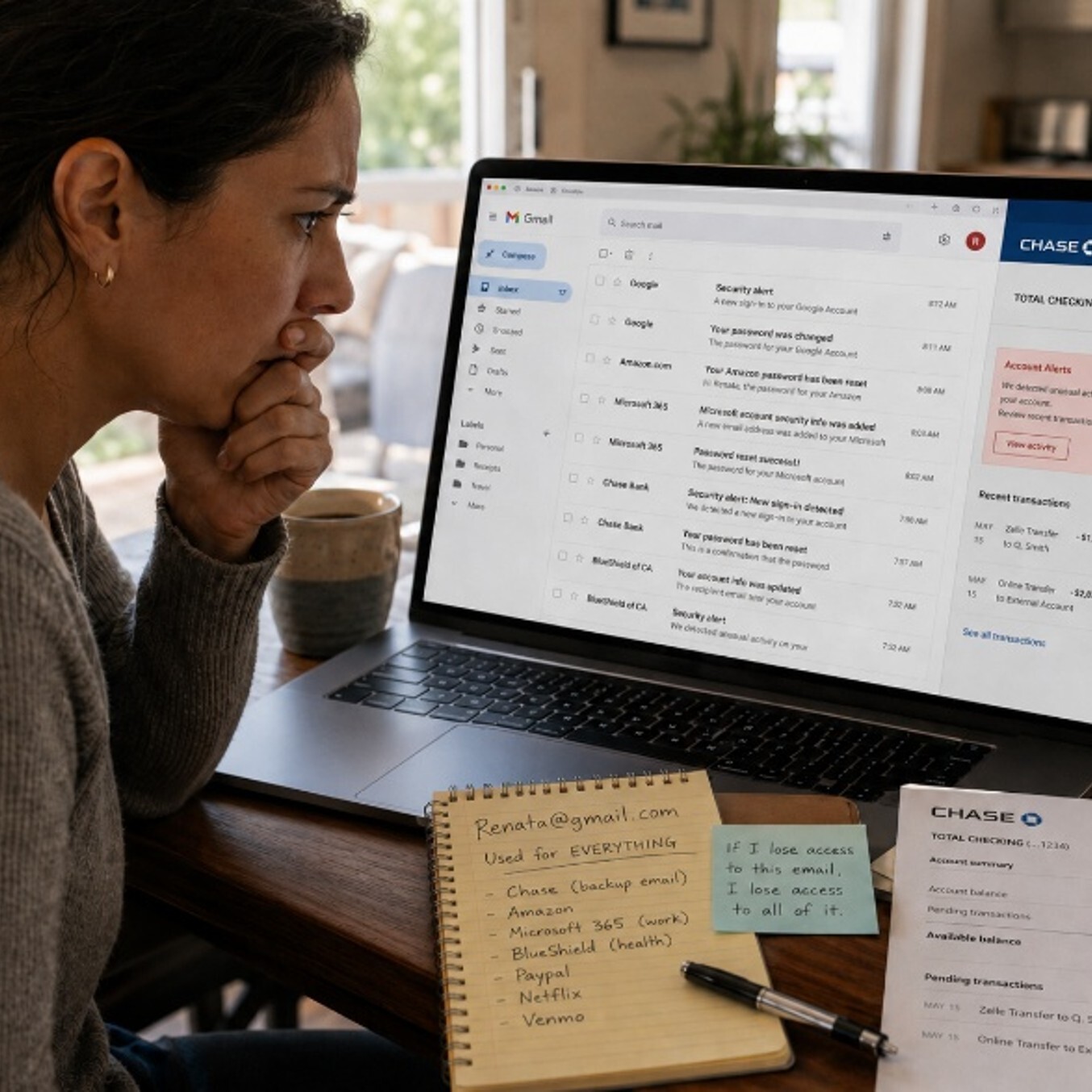
Renata had been using the same personal Gmail account since college. It was her backup email for everything: her bank, her Amazon account, her work Microsoft 365 profile and even her health insurance portal. She never thought much about it. It was just "her old email."
One Tuesday afternoon, she got a text. Her bank was asking her to confirm a password reset she never requested. She ignored it, assuming it was spam. By Wednesday morning, her bank account showed two transfers she did not make. Someone had not hacked her bank.
They had gotten into her Gmail first, then used it to reset everything else. Renata's personal email was the master key. And someone had found a copy.
What Happened
Renata's personal email account had a weak password and no multi-factor authentication. Once someone gained access to it, they used the "Forgot Password" feature on her bank's website. The reset link went straight to her compromised inbox. No special skills required. One account unlocked several others.
Most online accounts, including work-related ones, use an email address for identity verification and password recovery. If someone controls your personal email, they can reset passwords for your bank, shopping accounts, healthcare portals and potentially your work systems. You may not notice until real damage is done.
Remember the Framework

Simple Steps to Protect Yourself
-
Turn on multi-factor authentication for your personal email today. This single step stops most unauthorized access attempts.
-
Use a strong, unique password for your personal email. Do not reuse it anywhere else.
-
Check which accounts use your personal email as a recovery address. Update any that are sensitive, such as banking, insurance or work-related accounts.
-
Review your email's connected apps and account activity. Remove anything you do not recognize.
-
If your personal email is linked to your work account, let IT know. They may be able to help you reduce that risk.
Do This Today
✔ Open your personal email account and turn on two-step verification or multi-factor authentication right now. It takes less than two minutes and makes your account significantly harder to compromise.
Quick Checklist
-
Personal email has a strong, unique password
-
Multi-factor authentication is turned on for personal email
-
Password recovery addresses on bank and shopping accounts are up to date
-
No unfamiliar apps are connected to my personal email
-
IT is aware if my personal email is tied to any work system
Zero Trust Human Habit of the Week
Treat your personal email like a vault, not a junk drawer. It holds the keys to almost everything else you own online.